
-
Introduction
- Getting started
- Analytics
- Tag Manager
- WordPress
- Plugin Basics
- Security
- Utils
- Tests
- Migrations
-
Matomo In Depth
Menus
Matomo contains 3 menus:
the top menu (top-right of the page)

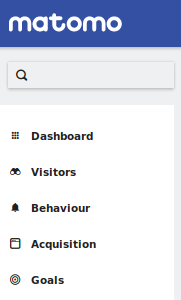
the reporting menu (which includes all the reports like "Actions" and "Visitors")
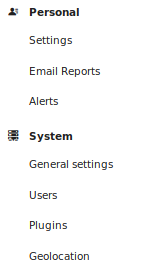
the admin menu (shown in the admin panel)
Plugins can add items to these menus by implementing a Menu class. To add new items to the reporting menu you need
to create a new Widget.
Adding a menu item
To add a menu class to your plugin, use the console:
$ ./console generate:menu
It will create a plugins/MyPlugin/Menu.php file:
class Menu extends \Piwik\Plugin\Menu
{
    public function configureTopMenu(MenuTop $menu)
    {
        // ...
    }

    public function configureAdminMenu(MenuAdmin $menu)
    {
        // ...
    }
}
Note: URLs can be built using the controller methods:
$this->urlForDefaultAction()returns the default action (index) for the controller of this plugin$this->urlForAction('foo')returns the URL for the actionfoofor the controller of this plugin
Top menu item
    public function configureTopMenu(MenuTop $menu)
    {
        $menu->addItem('My top item', null, $this->urlForDefaultAction());
    }
Admin menu item
    public function configureAdminMenu(MenuAdmin $menu)
    {
        // add item to an existing category
        $menu->addSystemItem('My admin item', $this->urlForDefaultAction());
        $menu->addPlatformItem('My admin item', $this->urlForDefaultAction());

        // or create a custom category
        $menu->addItem('MyPlugin admin settings', 'My admin item', $this->urlForDefaultAction());
    }
Reporting menu item
To add or change items in the reporting menu you need to create a new Widget.